Simplepages vs Webflow: Do you need a designer's tool for a landing page?
One generates your page with AI — nothing to learn. The other is the most powerful visual builder on the web, with the learning curve to match. Here's how to choose.
What it actually looks like
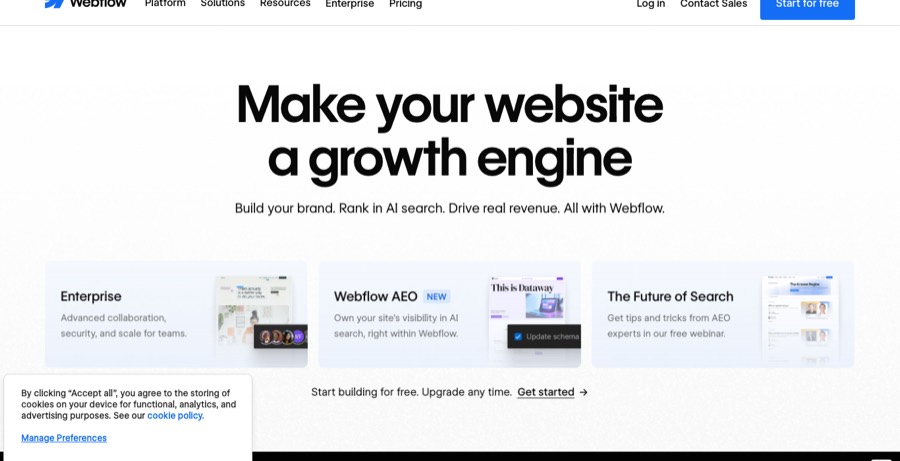
A pro visual-development canvas. Powerful and clean, but reviewers say it takes months to get proficient, and leads, payments and analytics are add-ons or an Ecommerce plan.
Describe your business, get a real page. Leads, sales, bookings, SEO, and analytics are wired in from the first publish, and it grows into a full website when one page isn't enough. Edit as much as you want; the hundredth change costs the same as the first.
What each one gives you
How editing is priced
A Site plan ($15 to $25/mo) plus separate Workspace seats ($15 to $39/mo), plus add-ons for analytics and payments. Real setups land around $100+/mo. Simplepages is flat.
Free to build, pay only when you publish. No credits, no meter, no top-ups.
Webflow's headline price looks close to Simplepages — until you add Workspace seats and the days it takes to learn the Designer. The real cost of Webflow is time.
Neither is bad. Different jobs.
- Pixel-level design control
- A real CMS
- Clean, portable code
- Built for design teams
- No learning curve at all
- Minutes to live, not days
- Copy and images generated for you
- Marketing plumbing included
- One predictable price
Webflow is powerful. And a lot to learn.
Loved by pros for control; the recurring notes are the learning curve and the bill.
Looks amazing on the surface, but working with variables is a nightmare. I spent hours setting up spacing, typography, and colors.
They nickel and dime you for everything. Hosting is overpriced compared to the performance you get.
Not intuitive. I have used a lot of content systems, but this one had a huge learning curve.
Ratings and quotes are from third-party review sites (linked, nofollow); we’re not affiliated with Webflow, G2, or Trustpilot.
Who should choose which
Choose Webflow if you…
- Are a designer (or have one) and want pixel-level control
- Need a CMS-driven marketing site, not just landing pages
- Want custom interactions and animations as a brand signature
- Need code export or enterprise-grade team workflows
Choose Simplepages if you…
- Need a landing page live today and don't have a Webflow developer
- Don't want to learn classes, breakpoints, and the box model
- Want copy and images generated, not just a canvas to fill
- Want leads, analytics, and checkout without wiring up other tools
- Have opened Webflow, watched one tutorial, and closed the tab
FAQ
Webflow is the most powerful visual builder available, and it works the way CSS works — classes, breakpoints, relative units. Designers pick it up in days; non-designers often bounce off it. Simplepages requires no learning: you describe the page in plain English and the AI builds it.
Skip the Designer. Ship the page.
No classes, no breakpoints, no tutorials. Describe your business, get a landing page, publish it. About 2 minutes.
Last updated 2026 · Simplepages