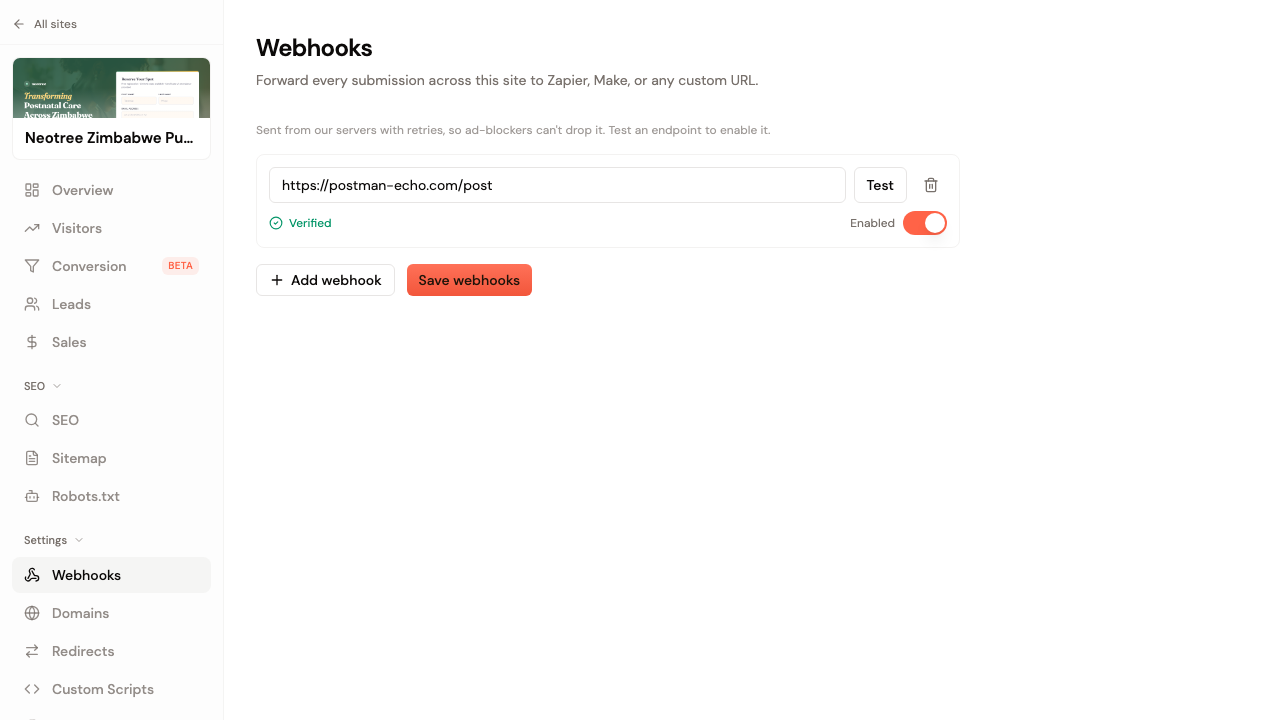
Your page already grabs every lead. You just usually want it somewhere else too, in your CRM or a Google Sheet or a Slack channel where you actually work. Until now that meant exporting a CSV or living in the dashboard. Point each submission at a webhook and it lands wherever you send it, on its own.
Paste a URL (a Zapier catch hook, a Make scenario, your CRM's inbound endpoint, or your own server) and we POST each new lead to it as JSON. What happens after that is your call.
How to set it up
- Open the Webhooks tab on your page or your site.
- Paste the URL and hit Test. We fire a sample submission at it, and it has to answer with a 200 before you can switch it on. That keeps a dead URL from quietly swallowing your leads.
- Turn on Enable, save, and that's it. Every lead from here on gets sent.
It runs on our servers, not in the browser
The quick way to build this is a snippet of JavaScript in the page that fires when someone submits. It's also the flaky way. An ad-blocker can kill the request and you'd never know, a failed send just disappears with no second try, and the URL sits in your page source for anyone to lift. We send it from the backend instead, after the lead is already saved, so an ad-blocker never sees the call and a delivery that fails gets retried. The URL never leaves our side.
Set it once for a whole site
Got a multi-page site? Add the webhook once at the site level and every page in it inherits the setting, so you're not pasting the same Zapier URL fifteen times. If one page needs to send somewhere extra, it can add its own on top.
Or just ask
You don't have to open the settings at all. Tell the assistant in chat to send a page's leads to your Zapier URL and it wires up the webhook for you.
Every webhook gets the submission as JSON: the email, whatever fields the visitor filled in, the page id, and the time it came in. Enough for your automation to route it, tag it, or fire off a reply.